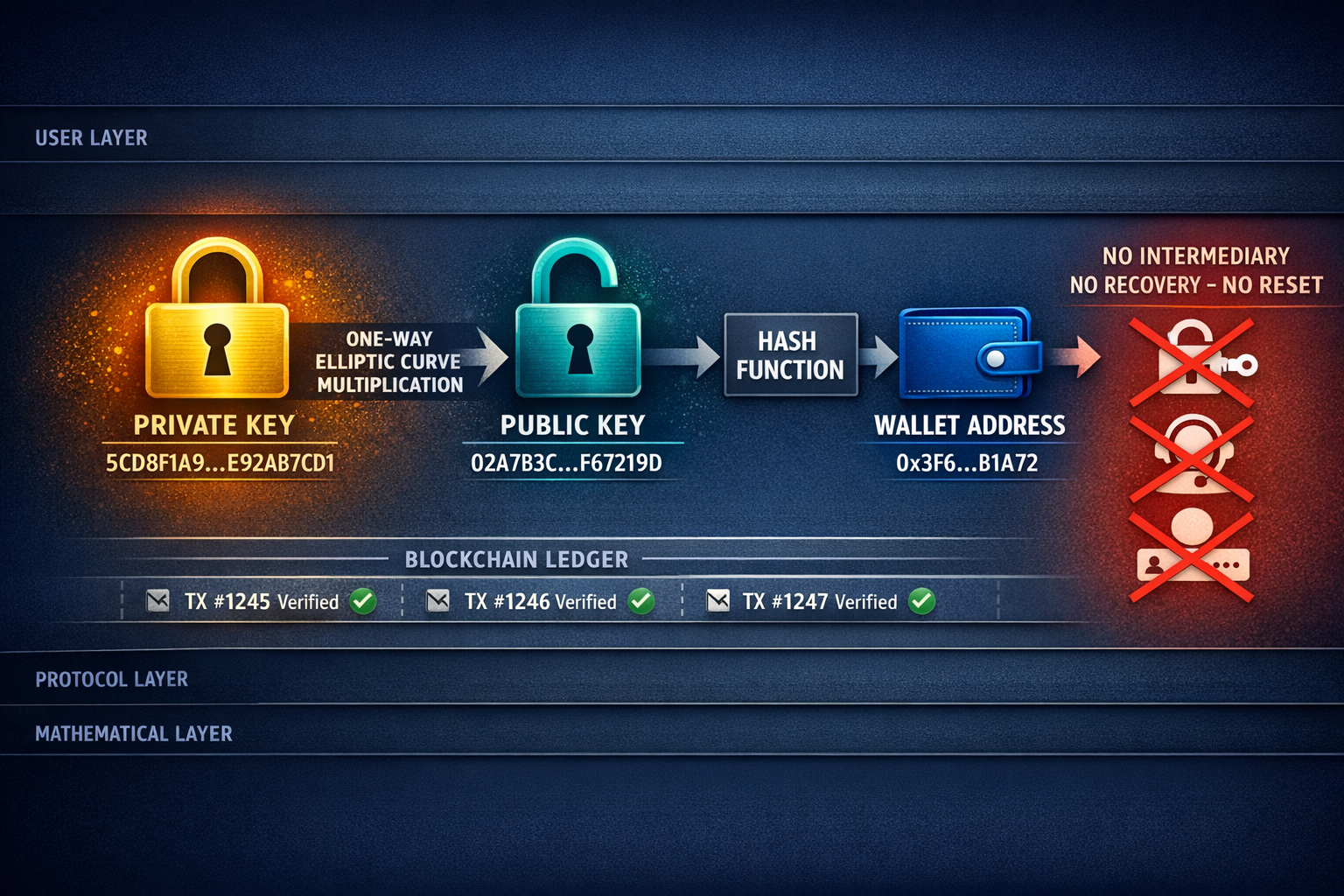
Wallets exist on a spectrum defined by how exposed your private keys are to the internet. Understanding this spectrum is essential because it determines which threats apply to you.
A hot wallet stores your private keys on an internet-connected device. MetaMask, Trust Wallet, and Phantom are all hot wallets. MetaMask specifically stores your keys encrypted in your browser's local storage — this is not the same as cold storage, regardless of how strong your MetaMask password is. Browser-stored keys are vulnerable to malware, malicious browser extensions, physical access to your computer, and any compromise of the device itself. Hot wallets are convenient for frequent transactions and small amounts, but they are fundamentally higher risk.
This is where a common misunderstanding needs correcting. MetaMask is often called "a wallet," but it's more precisely a key manager and interface. Your wallet, in the meaningful sense, is the key pair itself — it exists on the blockchain. When MetaMask connects to a hardware wallet, it acts purely as a user interface; the keys live on the hardware device and never touch the browser. The same MetaMask interface, radically different security profiles — depending on where the keys are stored.
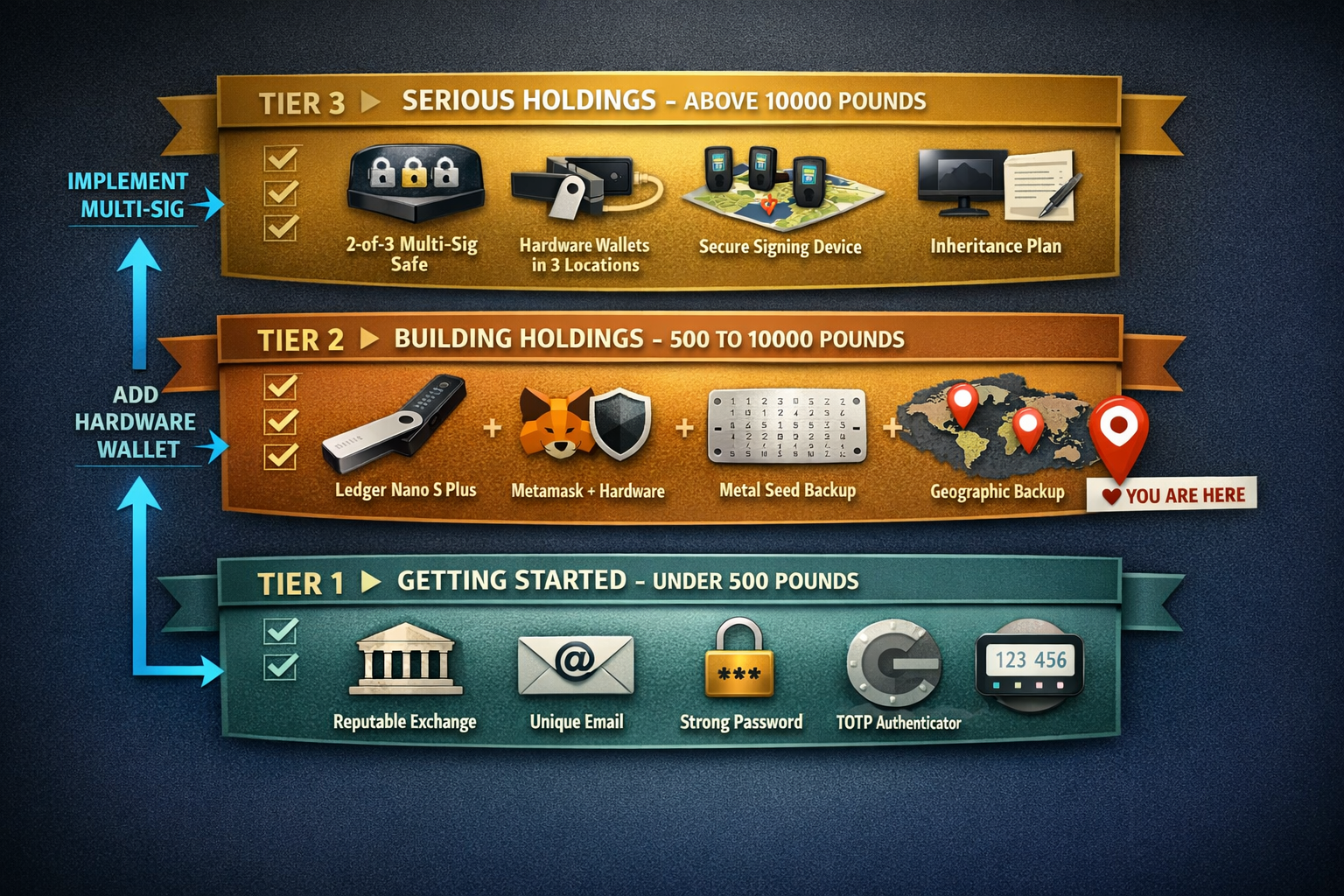
A cold wallet — typically a hardware wallet — stores private keys on a dedicated device that keeps them isolated from the internet. When you sign a transaction, the transaction data is sent to the device, signed internally using the private key, and only the signed transaction (not the key) is sent back. Devices like the Ledger Nano S Plus, Nano X, and Stax use a Secure Element chip (the same class of chip in bank cards and passports) that resists physical extraction attacks. For any holdings above £500, a hardware wallet is not an advanced precaution — it's basic insurance.
Air-gapped wallets take cold storage further by eliminating all wired and wireless connections. The NGRAVE ZERO and Keystone Pro communicate exclusively via QR codes — there's no USB port, no Bluetooth, no Wi-Fi. This eliminates an entire category of attack vectors, at the cost of convenience.
Experienced practitioners don't use a simple hot/cold split. They use three tiers:
- ›Hot tier — a phone wallet (MetaMask Mobile, Trust Wallet) holding less than ~£200 for daily transactions, like a physical wallet in your pocket
- ›Warm tier — a hardware wallet connected periodically for active DeFi, trading, or NFT activity, holding roughly £200–£10,000
- ›Cold tier — a hardware wallet or multi-sig setup that rarely connects to anything, reserved for long-term holdings above £10,000
Finally, custodial wallets are what you use when you keep funds on an exchange like Coinbase or Kraken. Here, the exchange holds the private keys on your behalf. You don't have a seed phrase for those funds — you have a login. This means you're trusting the exchange with custody, which introduces counterparty risk: the chance that the exchange is hacked, goes insolvent, freezes withdrawals, or simply disappears. Mt. Gox (2014, 850,000 BTC lost), FTX (2022, ~$8 billion in customer funds), and the WazirX hack (2024, ~$230 million) are not ancient history — they're recurring lessons.
However, nuance matters here. For a genuine beginner with a small amount of crypto and limited technical confidence, a reputable regulated exchange with strong 2FA may actually be safer than fumbling self-custody and making a critical error with a seed phrase. The goal is to move toward self-custody as your knowledge and holdings grow — not to leap into it before you understand the risks.
What this means practically: Match your wallet type to the amount at stake and your activity level. Spending money stays hot. Working capital stays warm. Savings stay cold. Exchange balances stay minimal.